What will my monthly budget get me? Dedicated hosting use to be fairly reasonable, but with the costs of power surging especially in the UK, you use to be able to pick something up for £40-£50 a month, but things are rapidly changing.
It can still however be affordable, at oXnames, example builds start from £59.95 per month, with larger configurations available for businesses that need more memory, storage or processing capacity, we would consider our lowest build one of the cheapest in the UK currently.
The monthly price only illustrates part of the story, two servers advertised at similar prices can have very different processors, storage setups and support options, with most of them being managed by you and not the host.
Let us guide you in what your typical budget can afford and what affects dedicated server pricing.
What does your dedicated server rental pay for?
A dedicated server also known as ‘bare metal’ is a physical computer also known as a server that is yours to use fully such as the CPU power, Ram and all the hard drive space rather than sharing a server with other users which is typical of shared website hosting and virtual servers.
A monthly rental typically covers the hardware, the network and any control panel licenses such as plesk, cPanel and webuzo, many providers will include management services which can be fairly expensive. However the hardware, network and power all stands on the shoulders of the provider and not you.
Lets say you faced a failed network card or hard drive, there is no additional costs to you – The hosting provider will replace these parts at no additional cost.
Before you compare prices, establish exactly what each provider includes.
What different monthly budgets can get you
Here are example builds from oXnames dedicated server range:
| Example configuration | CPU | Memory | Storage | Advertised monthly price |
|---|---|---|---|---|
| Dell PowerEdge R340 — built to order | Intel Xeon E-2174G | 16-32GB ECC | 2 × 480GB SSD, RAID 1 | From £59.95 |
| Dell PowerEdge R440 | Intel Xeon Gold 5120 | 32-64GB ECC | 2 × 250GB SSD, hardware RAID | £79.95 |
| Dell PowerEdge R640 | Intel Xeon Gold 6134 | 32-64GB ECC | 2 × 500GB SSD, software RAID | £89.95 |
| Dell PowerEdge R640 | Intel Xeon Gold 5220R | 64-128GB ECC | 2 × 960GB SSD, hardware RAID | £159.95 |
Advertised prices updated on 5 October 2026. Availability, upgrades and pricing can change. Confirm applicable VAT, any setup charges and your complete configuration at checkout or in your written quote. See our UK dedicated servers for current offers.
So £60-£90 a month: a practical starting point
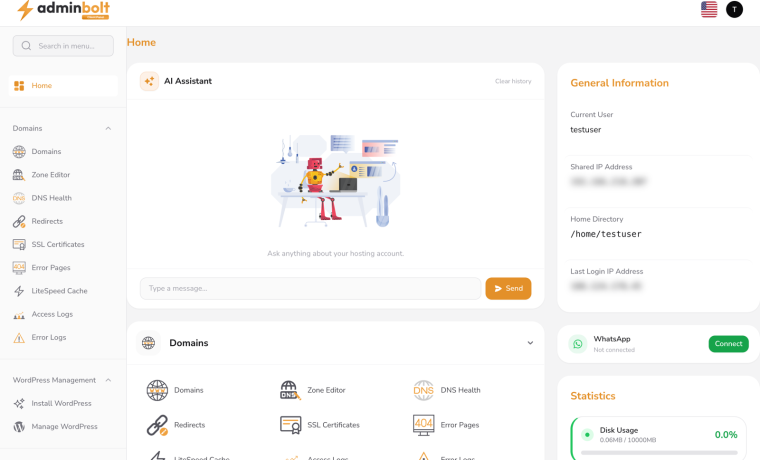
You can easily secure a fairly decent setup with a budget between £60-£90 a month but it will not usually include any control panels for your websites, however there are free options on the market, we will list them below to compare.
Good free hosting control panels you can install on a compatible Linux dedicated server or VPS:
| Control panel | What it offers | Best suited to |
|---|---|---|
| HestiaCP | Website, email, DNS and database management, SSL certificates and backups. Free and open source. | Customers wanting websites and email together in one panel. |
| CloudPanel | Free panel for WordPress, PHP, Node.js, Python and static websites. | Website and application hosting with a straightforward interface. Email hosting is separate. |
| Virtualmin GPL | Free, open-source edition covering websites, email, DNS, databases and backups, built on Webmin. | Users wanting more detailed server administration and configuration options. |
An entry-level configuration is worth considering for a modest website portfolio or a small amount of web dev customers. The right choice depends on what you really require.
An application that needs a relatively small amount of memory may not benefit from paying for a much larger server. Conversely, a database that is already running short of RAM may need more memory before it needs more processor cores.
You may also need storage, many offer higher upgrades and you can have setups with multiple drives in RAID to achieve higher space and redundancy.
£150–£160 per month: capacity for growing workloads
Upgrading to high power machines including 64GB of RAM and larger SSDs gives you more room for applications, databases and virtual machines or if you have a large amount of customers you are hosting.
Our single Gold 5220R R640 example falls into this category. It is a configuration to consider when you need more capacity than the smaller builds provide, subject to checking your workload and software requirements.
This is also where sizing becomes especially useful. Paying for extra cores will not resolve every performance problem. Storage latency, memory pressure and application design can all affect how responsive a service feels.
Larger budgets: specify the server around the job
Some servers may need higher storage or bigger CPU and ram, this is where custom or bespoke builds come in, something many providers including oXnames offers.
Start with what you need to run, how much data you hold and what growth you expect. It is always better to buy more than you need when you first build, upgrading later can mean taking a machine offline to upgrade things such as Ram and CPU, where as expanding storage is much harder once the server is full of data.
What changes dedicated server pricing?
The exact CPU model
“Intel Xeon” alone is not enough information to compare.
Age is a big factor, newer released CPU’s can generally cost thousands to purchase meaning rental will be much higher, it is not always about the size and core speed but which generation it was released.
Always check the CPU model and the number of installed processors and research where possible. A server capable of accepting two CPUs may be supplied with only one meaning you can upgrade it at a later date.
Installed memory
RAM is generally another factor in raising the monthly cost, most providers have to outlay money for hardware and renting it increases the revenue, typically you can upgrade and each 16GB upgrade can hit you at around £10-£15 per month additional.
Choose enough memory for normal operation, busy periods and reasonable growth. If an upgrade is likely, ask how it will be carried out and whether downtime will be needed.
Drive type, capacity and RAID
Hard drives are also very expensive, especially larger 1-4TB drives.
Two 480GB SSDs configured as RAID 1 provide roughly 480GB of nominal usable capacity before formatting and system overhead, because the drives hold mirrored data.
Where as 4 x 480GB drives can provide 960GB of useable data in a RAID 10 setup.
Both software and hardware RAID are great, software is easier to manage and move where as hardware can have its drawbacks.
RAID can help keep a server running after certain drive failures. It does not replace an independent backup: deleted files, ransomware and application corruption can still affect your data.
Connectivity and transfer allowances
A 1Gbps uplink describes the connection speed. It does not, by itself, tell you how much monthly traffic is included or guarantee that every download will run at that speed.
Check transfer allowances, fair-use terms and any charges for additional usage. These details are particularly relevant for file distribution, large backups and other traffic-heavy services.
Management and software
A self-managed server and a fully managed service involve different responsibilities.
Confirm who handles operating system updates, firewall configuration, monitoring and application troubleshooting. Control panels and commercial operating systems may also carry separate licence charges.
Costs to check before you order
Ask for a total that includes everything you need to run the service:
- VAT and setup fees: compare quotes on the same basis.
- Software licences: including any control panel or commercial operating system.
- Backups: storage capacity, retention, restore arrangements and cost.
- Additional IP addresses: availability, justification requirements and pricing.
- Migration: what will be moved, who tests it and how the changeover is planned.
- Contract terms: minimum commitment, renewal pricing and cancellation notice.
A clear quote makes it much easier to compare providers fairly and budget beyond the first month.
Would a VPS be enough?
A dedicated server is worth considering when you need control over the physical machine, substantial resources or capacity for sustained workloads.
However, a smaller project may be well served by a UK VPS. Starting with a VPS can make sense when resource requirements are modest and you do not need an entire physical server.
Look at your current CPU usage, memory consumption, disk activity and storage growth before deciding. That gives you a stronger basis for choosing than the number of websites or users alone.
How to choose the right server for your budget
Before requesting a quote, prepare a short description of:
- The applications and operating system you want to run.
- Your current memory usage and storage requirements.
- Any performance problems you are trying to solve.
- Your backup and management requirements.
- Your expected growth and comfortable monthly budget.
You do not need to arrive with a complete hardware specification. Explaining the job the server needs to do is often more useful.
At oXnames, we offer Dell PowerEdge dedicated servers with configurations suited to different budgets and workloads. You can compare available builds or ask us to price a configuration around your requirements.
Explore our UK dedicated servers or drop us an email with what you need to run.