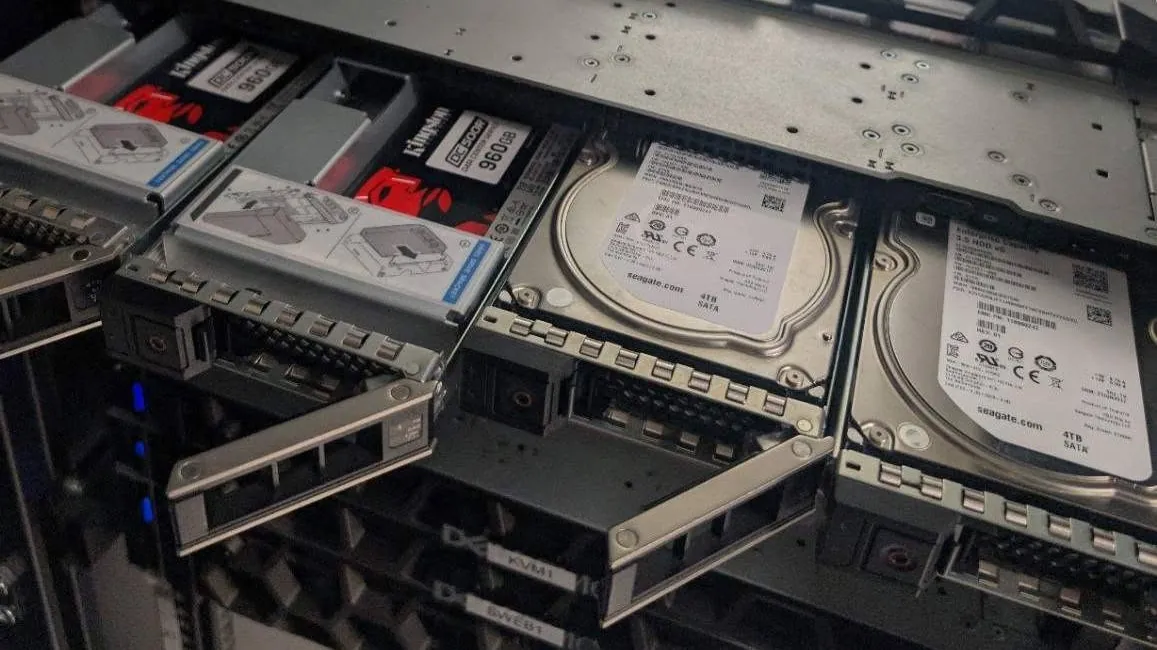
It is a question for many, some who prefer to co-lo and have a tight budget, can a consumer SSD deliver good performance in a server? What about stability? Out of curiosity, we decided to test Samsung 870 EVO SSDs in a hardware RAID config and compared the results with some Kingston enterprise SSD’s.
We also used some consumer grade Samsung 860 EVO’s on some machines in the past built in a raid configuration, they lasted 7 years with no issues and can still be re-used to this day, impressive.
That is our own experience rather than a wider reliability study (However they note great performance and low fail rates), but it gave us a reason to take a closer look at the newer 870 EVO.
What we tested
So we test two sets of Samsung 870 EVO with benchmark results and compared them with a recent test using Kingston DC500R enterprise SSDs, not the newest model but a fairly commonly used model for enterprise SSD’s.
| Test configuration | Sequential write | Sequential read |
|---|---|---|
| 4 Samsung 870 EVO SSDs in RAID 10 | 571 MB/s | 1,940 MB/s |
| 4 Samsung 870 EVO SSDs in RAID 10, measured inside a test VPS | 555 MB/s | 2,208 MB/s |
| 2 Kingston DC500R 960GB enterprise SSDs in RAID 1 | 530 MB/s | 1,012 MB/s |
Our measured speeds are for complete storage configurations, including their RAID controllers. These are not individual drive tests.
The RAID setups were different, so this is an exploration of the results rather than a controlled competition between Samsung and Kingston.
The Samsung 870 EVO results
Our EVO 870 RAID 10 test delivered approximately 1.94 GB/s sequential reads and 571 MB/s sequential writes.
A separate test run inside a linux virtual server returned approximately 2.21 GB/s reads and 555 MB/s writes. The virtualisation layer does add another variable.
Both EVO tests used fio with 1MiB blocks, a queue depth of 16 and direct I/O. Each ran for 60 seconds, using a 16GiB test file for the first configuration and a 10GiB file for the VPS test.
These longer runs were more informative than a quick transfer lasting a second or two. However, the RAID controller—and potentially the virtualisation layer—could still influence the results. Direct I/O bypasses the operating system’s normal page cache, not every cache in the storage path.
How can SATA SSDs read at nearly 2 GB/s?
Samsung specifies sequential speeds of up to 560 MB/s read and 530 MB/s write for an individual 870 EVO. Our higher read figures came from multi-drive arrays, not a single SSD. Samsung 870 EVO specifications
RAID spreads the work across drives, while controller caching can also contribute to measured throughput. That is why an array result must be distinguished from an individual drive’s capabilities.
It also explains why buying one 870 EVO would not reproduce the figures in our table.
How did the enterprise SSDs compare?
We also had two Kingston DC500R drives, configured as a RAID 1 mirror, those achieved 530 MB/s writes and 1,012 MB/s reads during a 32GiB sequential test.
The four-drive EVO configurations recorded higher throughput, particularly for reads. However, they had twice as many drives and a different RAID layout. Test sizes, cache settings and execution environments also differed.
These results therefore do not prove that consumer SSDs outperform enterprise SSDs. They show that the tested Samsung 870 EVO RAID 10 configurations delivered strong sequential performance, whilst a two-drive Kingston mirror came close on writes.
Our experience with the Samsung 860 EVO
Before these tests, our experience with Samsung’s EVO range included 860 EVO drives that ran for seven years without a single failure in multiple servers, with regularly daily writes.
That is a useful first-hand observation, but it needs context. A group of drives lasting seven years does not establish a failure rate for the entire product range, guarantee that another drive will last as long, or prove that the 870 EVO will behave identically.
What it does show from our own experience is that consumer drives do also have a place running in a server and should not just be dismissed, with good backups and a good RAID setup they can work if your budget is low and you are worrying.
Why enterprise features still matter
Curiosity was mostly around speed, but enterprise hard drives still have features that consumer models generally do not have.
The Kingston’s DC500R includes onboard power-loss protection and is designed for read-intensive data-centre workloads. Those features address considerations that a sequential speed cannot count for.
Power-loss protection in a server can be a very important requirement, however hardware RAID can help with it’s backup battery but consumer drives just do not have this type of protection – Enterprise drives also have higher ratings for rated write endurance.
See the write life (endurance) for the 1.92TB size of the newer Kingston DC600M hits 3,504 TBW (Terabytes Written), this is pretty impressive, generally larger drives have longer write life’s on paper vs your lower size drives.
So what did we learn?
We observed the Samsung 870 EVO configurations performed well in our tests, reaching approximately 1.94–2.21 GB/s sequential reads and 555–571 MB/s sequential writes across four-drive RAID 10 arrays.
Our seven-year experience with the older 860 EVO also gives a positive look and confirms consumer grade SSD’s can run and operate just find for long periods of time in servers, and if your budget is low you should and can consider using them providing you have good backups and spare drives. From our own research Samsung is one of the best in terms of fail rate for consumer SSD’s on the market to date.
Even many hosting Companies to date still rent dedicated hosting to customers on consumer grade drives, with redundant power supplies and dual PSU’s on most servers the power-loss is not the biggest concern, many racks have dual power supply feeds with each side coming from a different power uplink. So if your budget is low or you want to run a home server, you can seriously consider consumer SSD’s.
If you are looking for a UK dedicated server, oXnames can help you discuss the storage capacity, RAID configuration and hardware options suited to your requirements.